Hello @jenyalebid
The Discussion section of .sharedBackgroundVisibility documentation says "Hiding the effect will cause the item to be placed in its own grouping."
This might be the cause of the offset.
See this example. The first ToolbarItem has .sharedBackgroundVisibility(.hidden) and it is not offset from the other ToolbarItem.
.toolbar {
    //  Effect hidden
    ToolbarItem(placement: .topBarTrailing) {
        Button(action: {
            //...
        }) {
            Image(systemName: "ant")
        }
    }
    .sharedBackgroundVisibility(.hidden)

    // Effect shown
    ToolbarItem(placement: .topBarTrailing) {
        Button(action: {
            //...
        }) {
            Image(systemName: "ant")
        }
    }
}
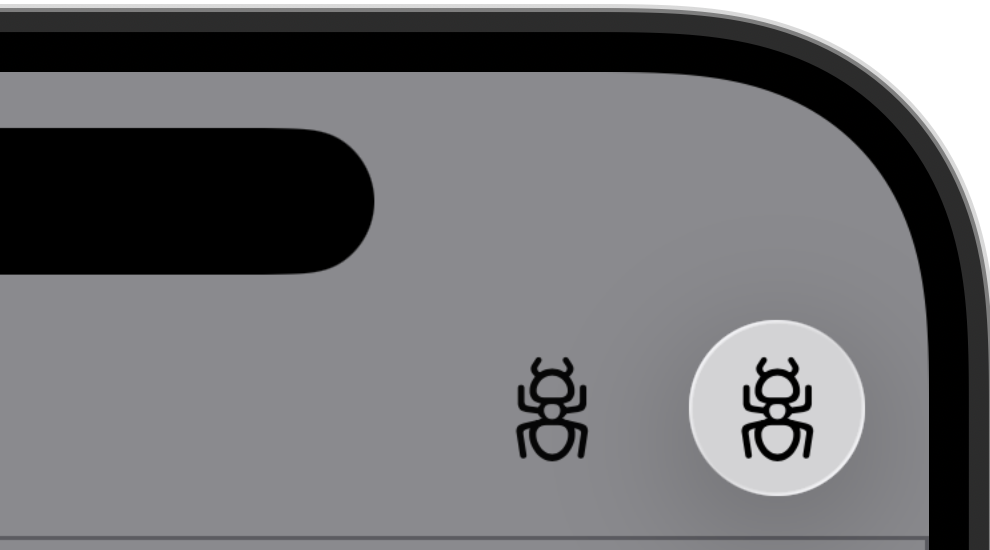
Let me know if this helps. Feel free to provide code examples in this thread.
Travis Trotto - DTS Engineer

