App Store Connect IAP Catch-22

Well, here we go again.

The subscription items are rejected because I have not submitted a binary. (Except I have, of course.)

The binary is rejected because I have not submitted the IAP subscription items. (Except I have, of course.)

Neither lets me submit the other again alongside it.

Brilliant system.

Thanks to this post...

https://developer.apple.com/forums/thread/838456

...I think I understand what is going on here. It's Apple's fault.

Apparently the engineers at Apple are assuming that you know that they are envisioning an envelope metaphor for review submissions. They want the app build to be included in a particular version record which is in turn supposed to go into the draft envelope alongside the subscription records, which should also be in the same envelope. Like this:
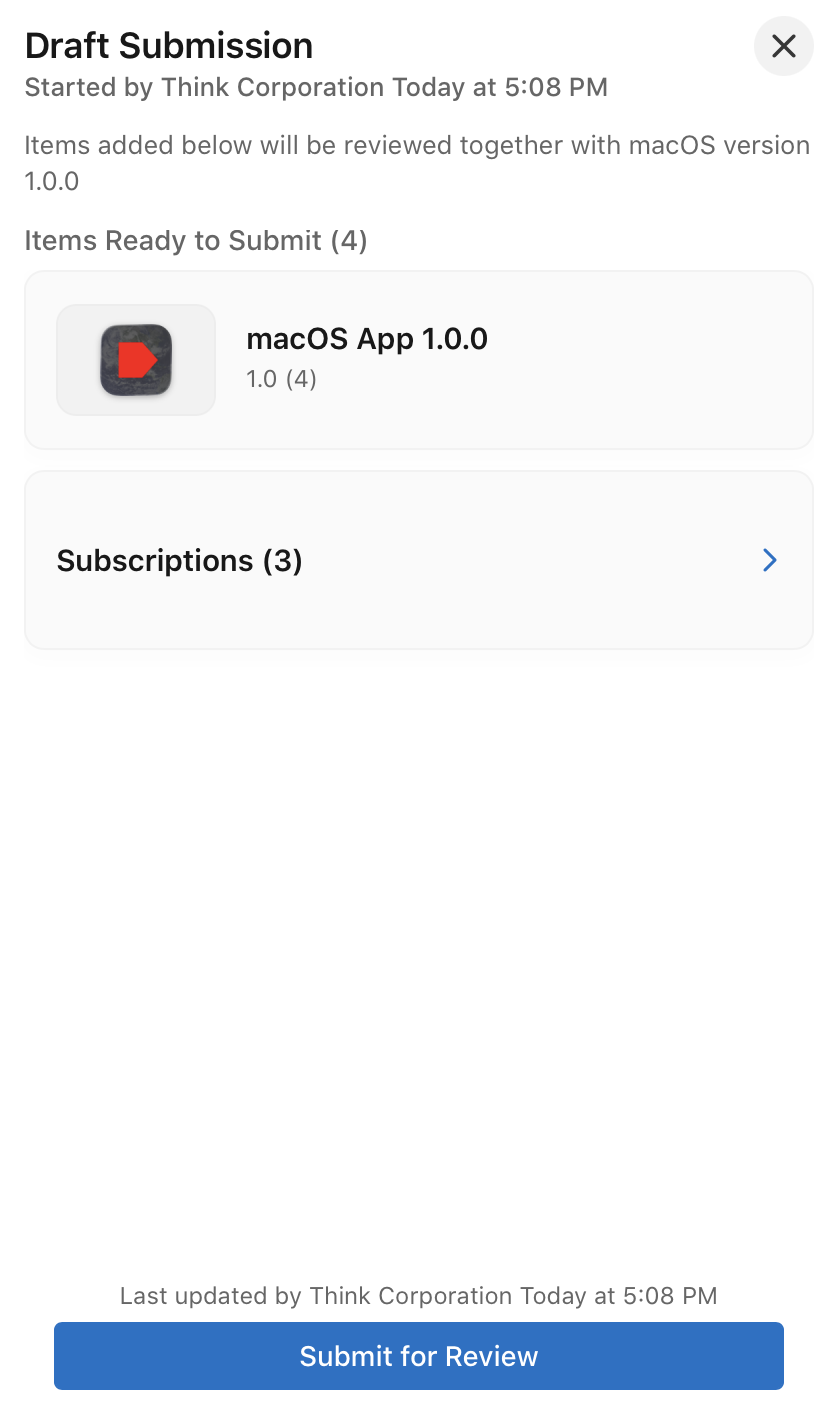
This means that you should abort in the middle of the process of submitting a new build of an app version for review—a key point that is told to the developer absolutely nowhere and is completely counterintuitive. There is also no UI element that would automatically pick up any pending items to also add to your envelope, or even suggest that you should. It's all on you to read Apple's engineering team's mind.

If you fail to read their mind and just pay attention to what they say, when you can even get it to show up, the IAP section on the version side sends you to the subscription side with a notice, and on the subscription side of course, there is nowhere to attach a version. That is because in their infinite wisdom the people at Apple assumed you would just know about their metaphor and submit each half separately to the same draft envelope you didn't even know you were supposed to create.

But it gets better. Because once you've done all of that (which can take weeks to figure out, as it has for me), their buggy code doesn't reset any rejection flags on pending subscription records. Note how these records are both "Ready for Review" and not ready for anything at all because they have error flags, all at the same time:
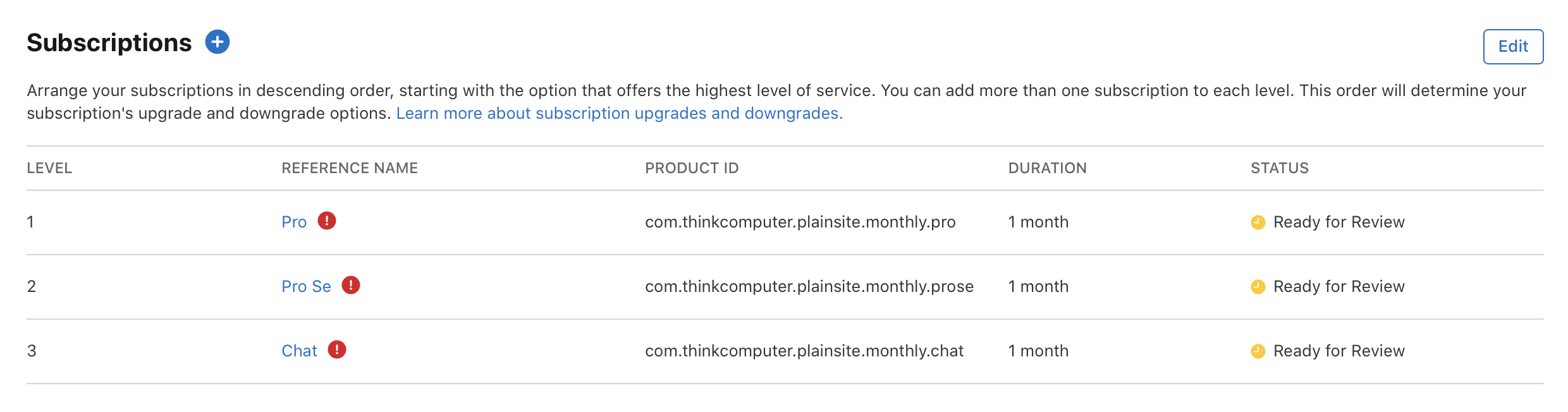
So you actually cannot submit your envelope for review, because the subscription records are marked as having an error.
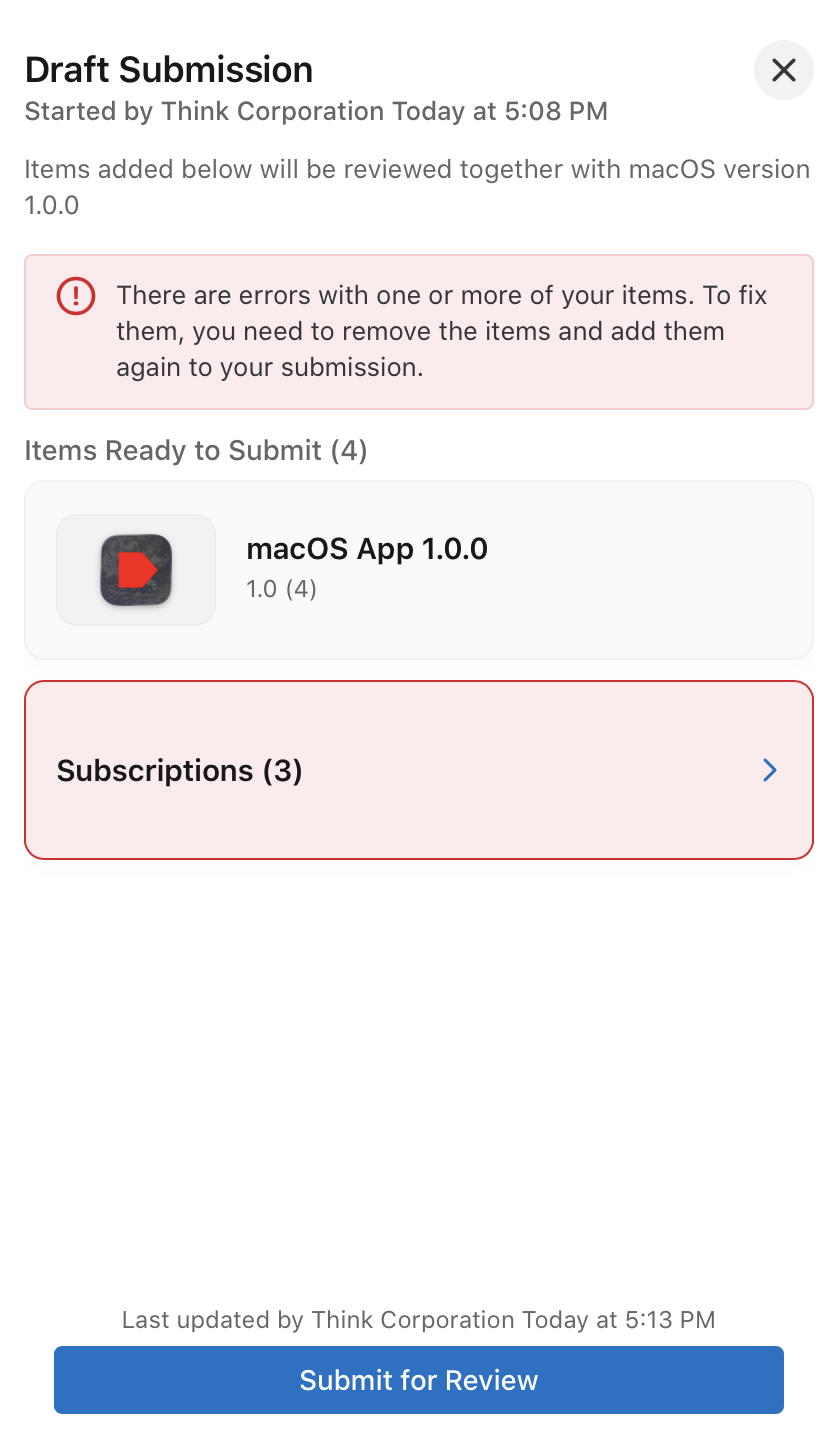
What's the error? You were rejected before because you didn't submit them alongside the binary because you can't read minds.
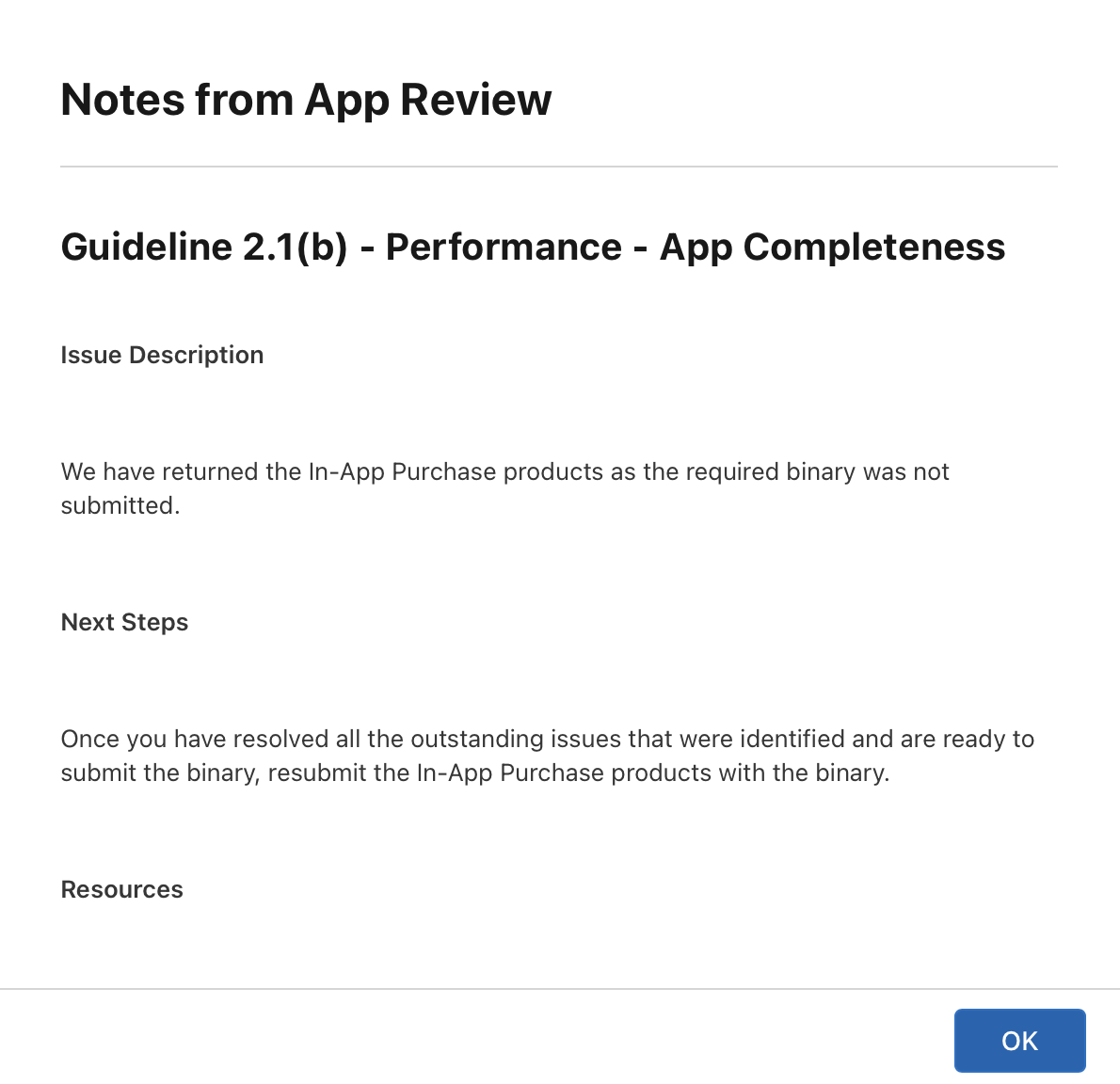
How do you clear the error state? I don't think you can without deleting the subscription records and starting over (a nightmare); presumably Apple can write to its database directly.

But it gets even better. Because there is a bug in App Store Connect that highlights only the last subscription record in red when it tells you that there's an error, so it makes it seem like there is something wrong with that particular record.
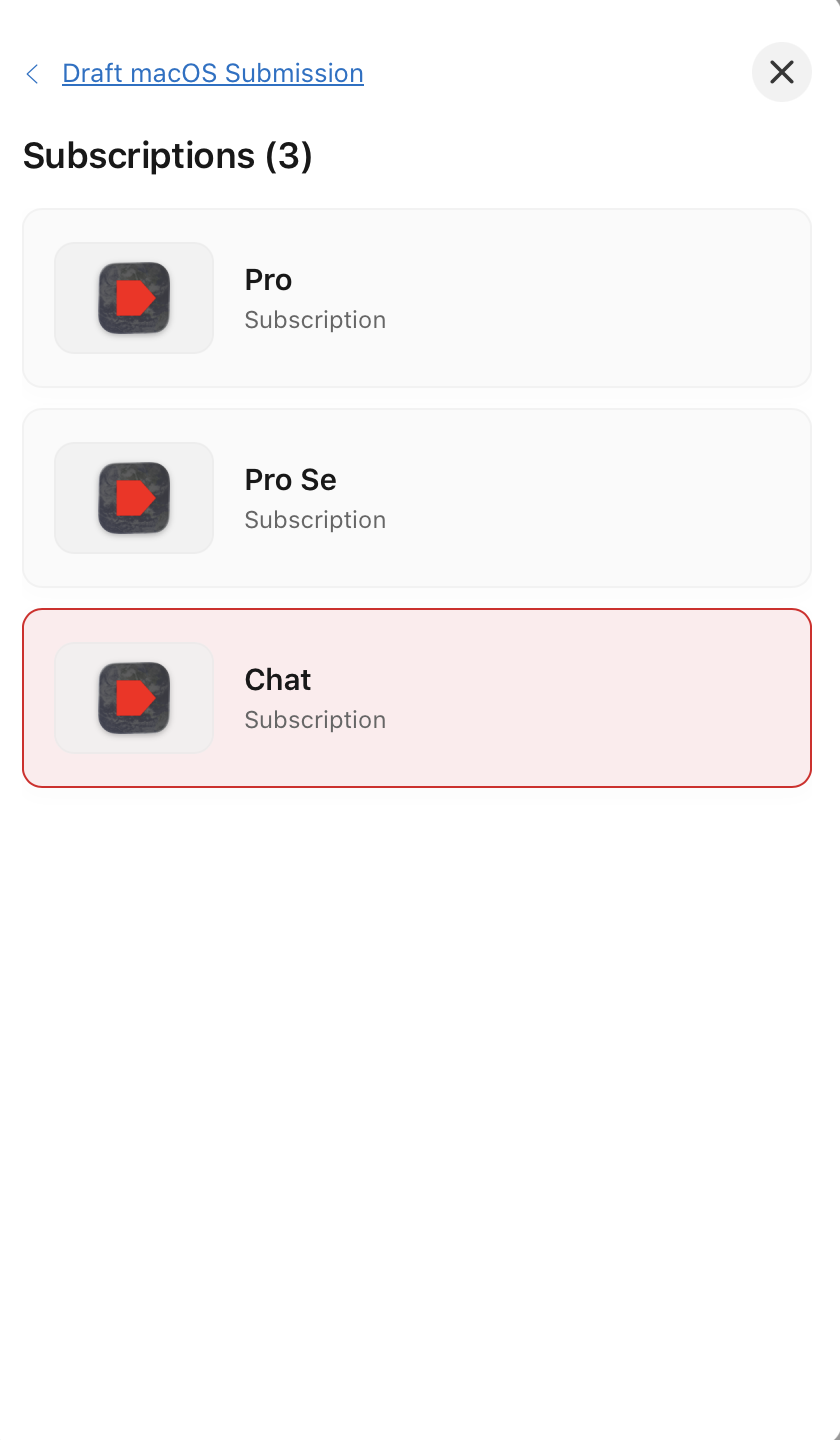
There is nothing wrong with that particular record. If you delete it from the envelope and try to submit again, App Store Connect will just highlight some other subscription record—one that previously looked fine—and tell you it has an error next.
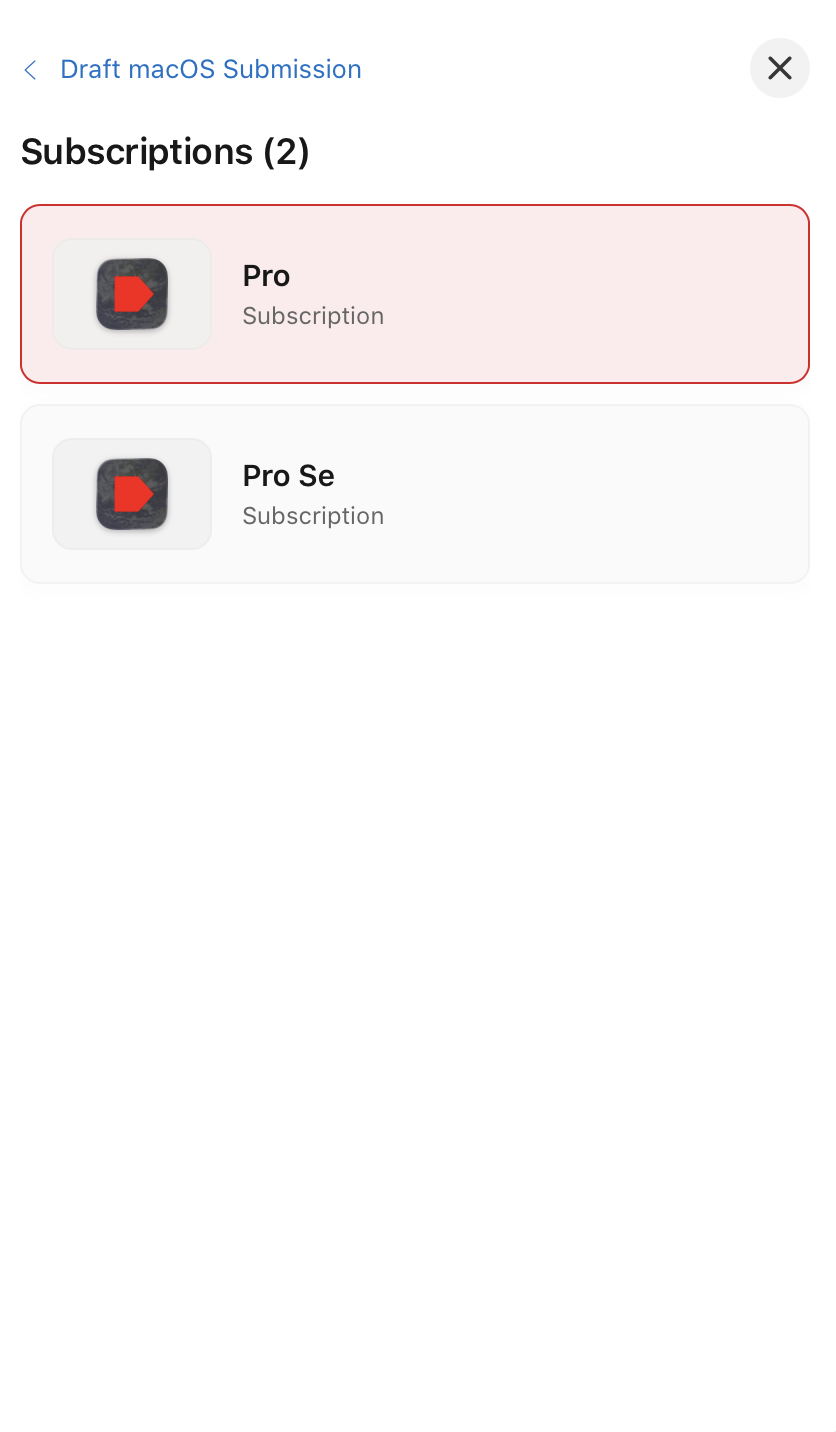
So this madness makes the stupid metaphor with fingers pointing at each other that much more confusing. There is also a separate bug that makes the subscription record names spontaneously disappear.
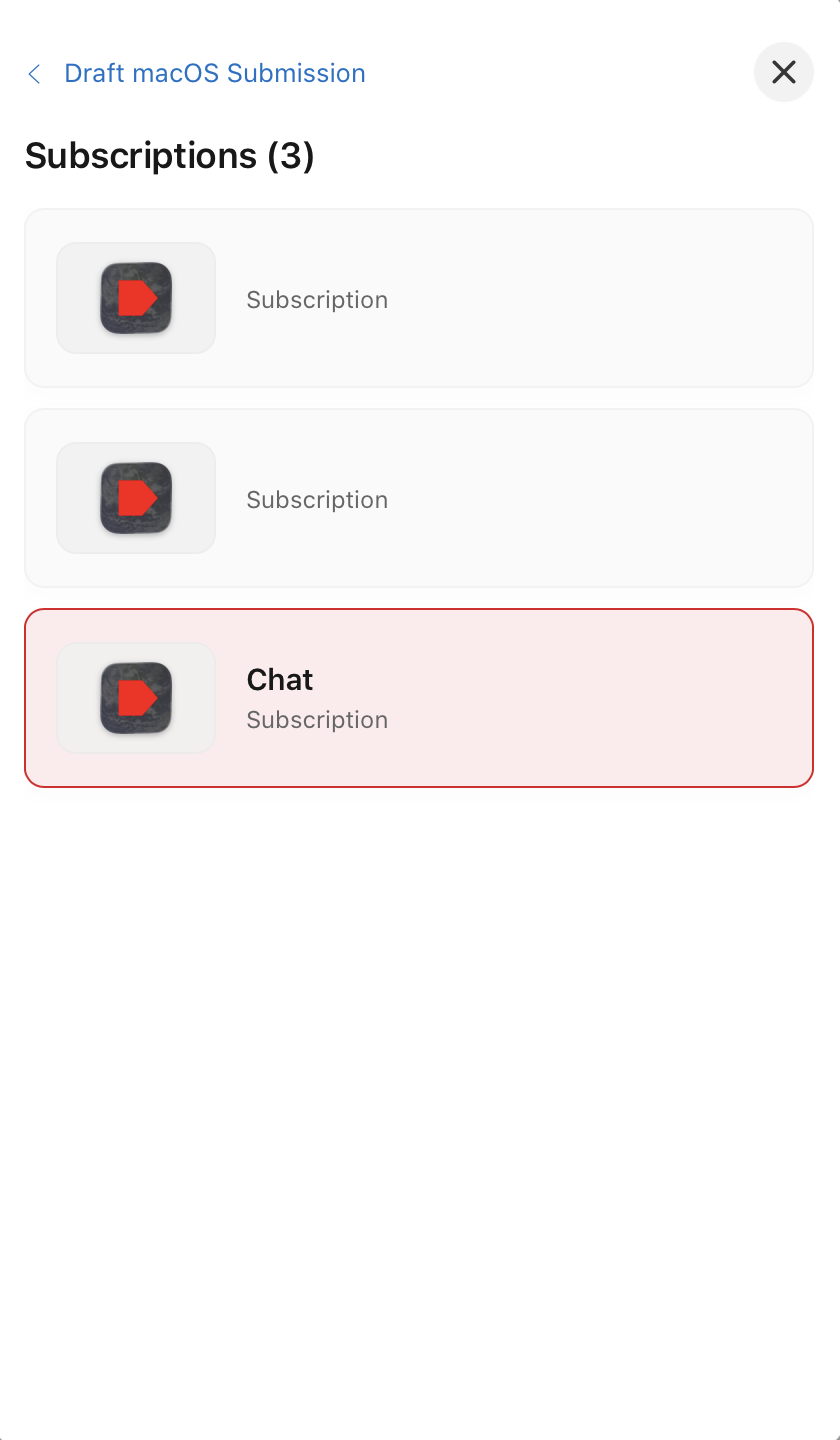
And a third bug that just throws a general error for all subscription records ("An error has occurred.") which prevents you from seeing any of them.
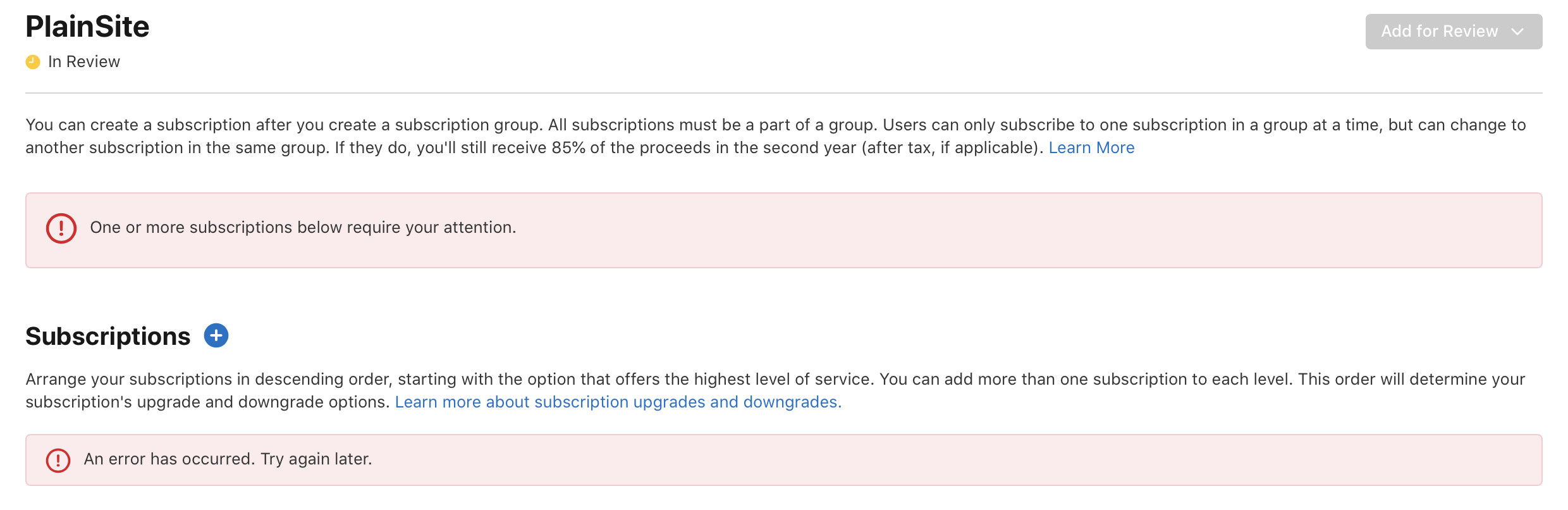
Whoever designed this should be fired. Whoever tested it should be fired. Every engineer at Apple who touched it should be fired. This is totally ridiculous and it has wasted a lot of not just my time, but many, many people's time. Just read the forums.

I'll call Apple tomorrow and ask them how I am supposed to move forward from here.

At least for me, once I got to the point you're at now, I was able to edit a subscription and add or remove a period to the end of the description or localization description. That cleared the error state and allowed me to add it to the submission.

Like you said, not intuitive, but it got the job done for my submission at least.

Well, since it's Sunday night and no one at Apple is going to pay attention to this until tomorrow at least, I figured maybe I could get a head start on things by biting the bullet and deleting the subscription records so I can re-create them.

Nope!

That's not allowed either. Even though they are deleted, they are also not deleted simultaneously because you can't create another with the same identifier. (This reminds me of when I started tinkering in Xcode and ended up locking myself out of my own product identifier because I hadn't yet chosen a corporate development team, and Apple gives you no way to release the identifier from a personal team and assign it to another—another bonkers design decision that takes customer service intervention and about a week to resolve).

So you can't submit, you can't delete and re-create... It's just broken. That's all there is to it. I find it hard to believe because Apple has been doing this a while and they are the most financially successful company on Earth. And yet. Here we are. Nothing works.

Ran into this too, I cancelled the old submission and started fresh, but even then the subscriptions kept throwing "There are errors with one or more of your items. To fix them, you need to remove the items and add them again to your submission" when I tried adding them to the draft. Which is what everyone above has been experiencing as well.

What worked for me:

Removed all 4 subscriptions from the draft (not just cancelled the submission, removed them as items). I went into each subscription individually and made a trivial edit (removed the . at the end of the last sentence) and saved it. This seems to clear a stuck error/rejection flag that doesn't reset on its own even after a prior submission is cancelled.

Re-added each subscription to the draft one at a time.

Then explicitly added the Subscription Group itself as its own item too; it doesn't get pulled in automatically just because its subscriptions are in the draft.

Ended up with 6 items in the draft: 1 app version + 1 subscription group + 4 subscriptions. Once all 6 were present, "Submit for Review" activated and went through clean, now sitting in "Waiting for Review."

So the combination that mattered: edit-to-clear-the-stuck-flag on each subscription (credit to the earlier post in this thread, that part alone didn't do it for me until I also added the group as its own explicit item), plus treating the group as a required 6th item, not just a container.

Hope this saves someone the same afternoon it cost me.

Previously I deleted each subscription and started from scratch with them, which should have had the same effect as changing the descriptions. (I had tried changing other fields, but not that one.) That didn't help. Same error.

Unfortunately, the subscription group is in an "In Review" state even though no one is reviewing it. The only way out would be to delete the subscription group and all of the subscriptions in it. If I do that, the IDs for each subscription will be forever stuck in limbo and I'll have to use alternate alternate IDs, which I just don't want to do, since I'm already using alternate IDs having run into this once before. So I'm just stuck until Apple admits that this is...not good...and fixes it.

And of course, just to make sure, I logged in to App Store Connect just now and was pleased to learn that my subscription group had been "Developer Rejected," which is news to me since I am the developer and there is no mechanism by which a developer can reject a subscription group to the best of my knowledge. But this suggests that someone at Apple got yelled at and the solution was for them to run some sort of UPDATE query to fix their broken database/UI model. I'm still not convinced anything is fixed, but at least this unsticks what was previously stuck for the time being.

I particularly love how I received no acknowledgement of the problem, no reply to my e-mails to Apple executives, no alerts, nothing. Things just sort of changed. Surprise!

I have the exact same issue and I am certainly not re-creating the subscriptions either.

I will just have to wait for the "In Review" status on the subscription group to resolve on its own then, right?

I guess so. It's not clear if Apple fixed this across the board, if some timeout got triggered, or if they made an engineer review my account because I was making noise.

Either way, the problem isn't really fixed. I submitted a Mac Catalyst app which means there are iOS and Mac OS versions. But you can only submit your subscription items with one platform, and you can't submit multiple platforms in the same review envelope. So if they review the wrong platform first, it will be rejected because you didn't submit the subscription items with it, assuming App Store Connect even works. Effectively they created a race condition within their own workflow.

Sigh.

App Store Connect IAP Catch-22
 
 
Q